Better resource planning with time tags
So you can easily measure and assess the time spent on projects and tasks.
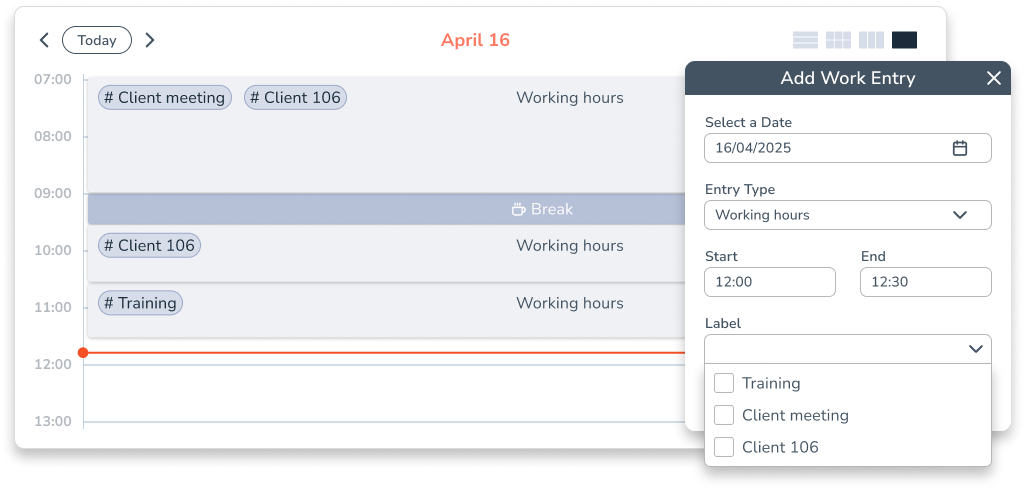
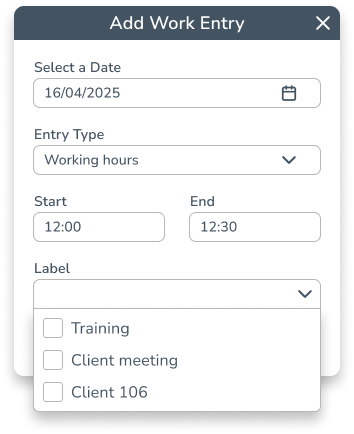
The simplest way to record project times
Practical
Time tags can be used for a whole range of purposes with minimal setup.

Versatile
Time tags can be added in the app either online or offline. This makes them easier to use in a variety of working environments.
Intuitive
Employees can quickly and easily label their work without getting lost in complex project structures.
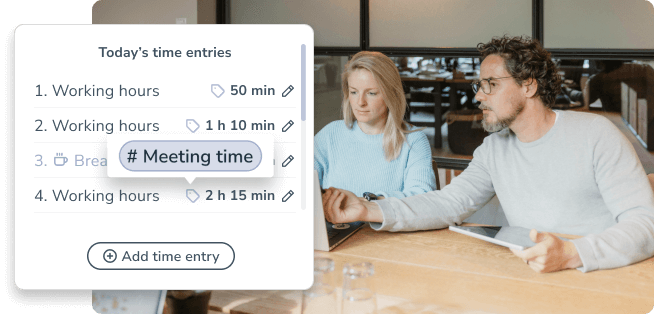
CATEGORIZE WORKING TIMES
More than just time tracking
As well as recording working times, Personizer enables you to categorize them. To do so, you simply add time tags to the time entries.
CUSTOM TIME TAGS
For all kinds of purposes
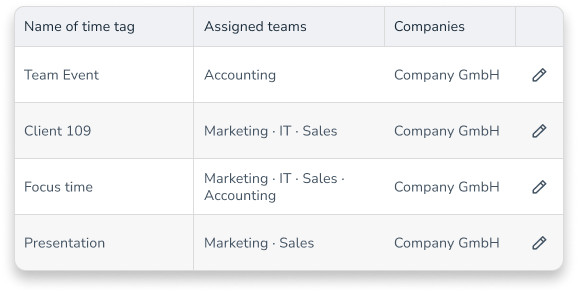
Time tags can be created individually in Personizer and assigned to specific teams. The use cases are endless. Our customers rely on time tags for:
- Optimizing personal time management
- Team resource planning
- Customer billing
- Tracking project times
Lots of handy options for time tracking, creating your own project and time tags, recording vacation and sick leave, etc.
Julian – Account Manager Sustainability
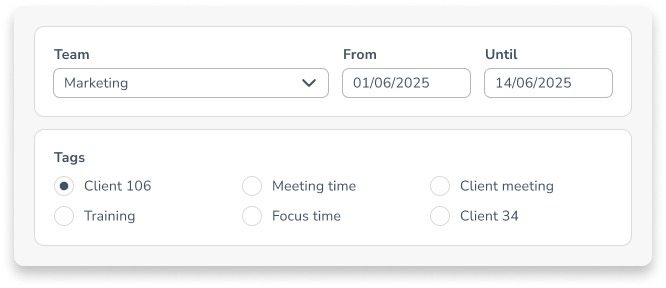
TIME TAG REPORT
Real-time data for quick decision-making
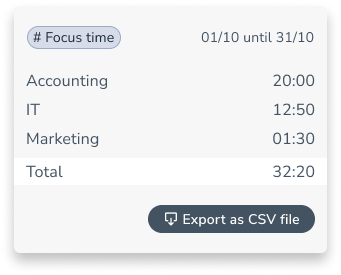
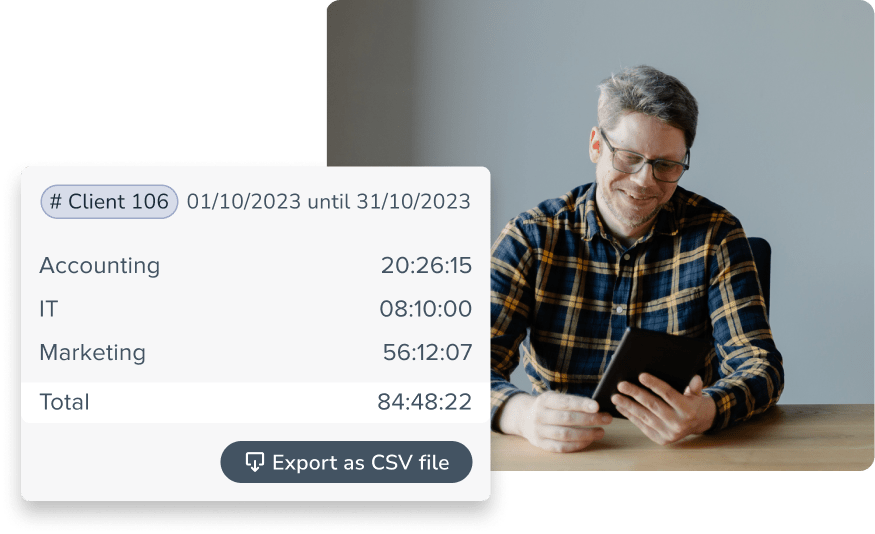
Filter by team, time period and time tag and display the results directly or export the report as a CSV file.
Organizations already shaping the working world of tomorrow with Personizer





Our time tags help you to…
… assess resource requirements more accurately
Time tags can assist with personnel planning by providing information on what resources are required.

… promote transparency
Using time tags facilitates communication within the team and with customers, as they provide a clear overview of the work performed.
… boost efficiency
By using time tags, employees and organizations can better understand how time is being spent. Inefficient processes can be identified and improved.

Our time tags help you to…

Assess resource requirements more accurately
Time tags can assist with personnel planning by providing information on what resources are required.

Boost efficiency
By using time tags, employees and organizations can better understand how time is being spent. Inefficient processes can be identified and improved.
Promote transparency
Using time tags facilitates communication within the team and with customers, as they provide a clear overview of the work performed.
Frequently asked questions
What are time labels?
Time labels are individual markers that can be used to assign working times to specific projects, tasks or categories.
How do I create a time label?
Admins can create, name and assign new labels to teams in the “Company” section under the “Time labels” tab.
What can I use time labels for?
Time labels help with project time tracking, resource planning, billing clients and optimizing personal time management.
How do I evaluate time labels?
Under “Reports” in the “Time sheets” tab, admins can filter by team, period and label and view the data or export it as a CSV.
Can employees select their own time labels?
Yes, employees can select suitable time labels when recording their working time, provided these have been assigned to them.
Discover more time tracking features

Time bank
Offer your employees more freedom to manage their time.

Work schedules
Offer your employees personalized solutions and manage them all in one tool.

Start-stop timer
Choose a state-of-the-art time tracking system that employees are happy to use.